The amina charging app
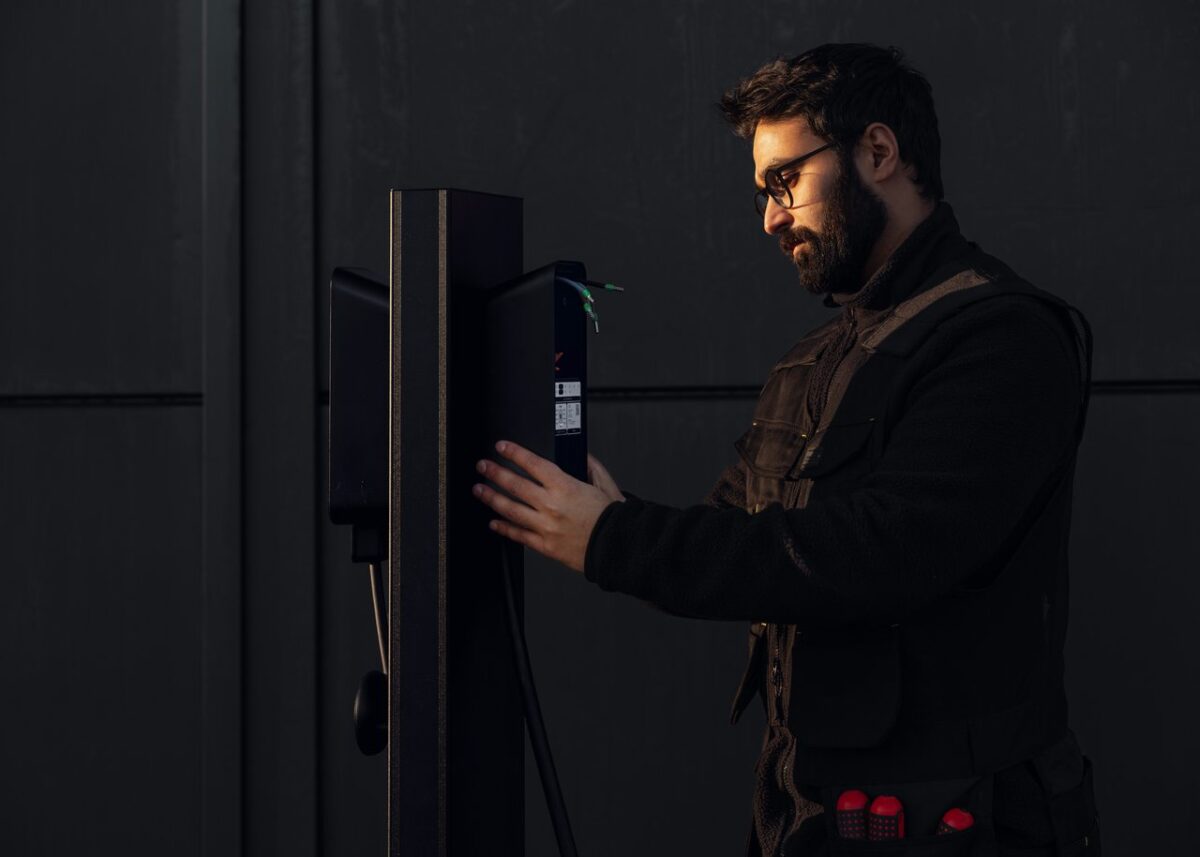
A configurator for amina chargers, on iOS and Android. Use it on site to find the charger over Bluetooth, see its status and update its software. On amina C / C2 and amina M / M2 it also sets up the network and the OCPP backend. Charging itself stays with your charging operator’s app. No account needed.
Set up on site, over Bluetooth

Find the right charger
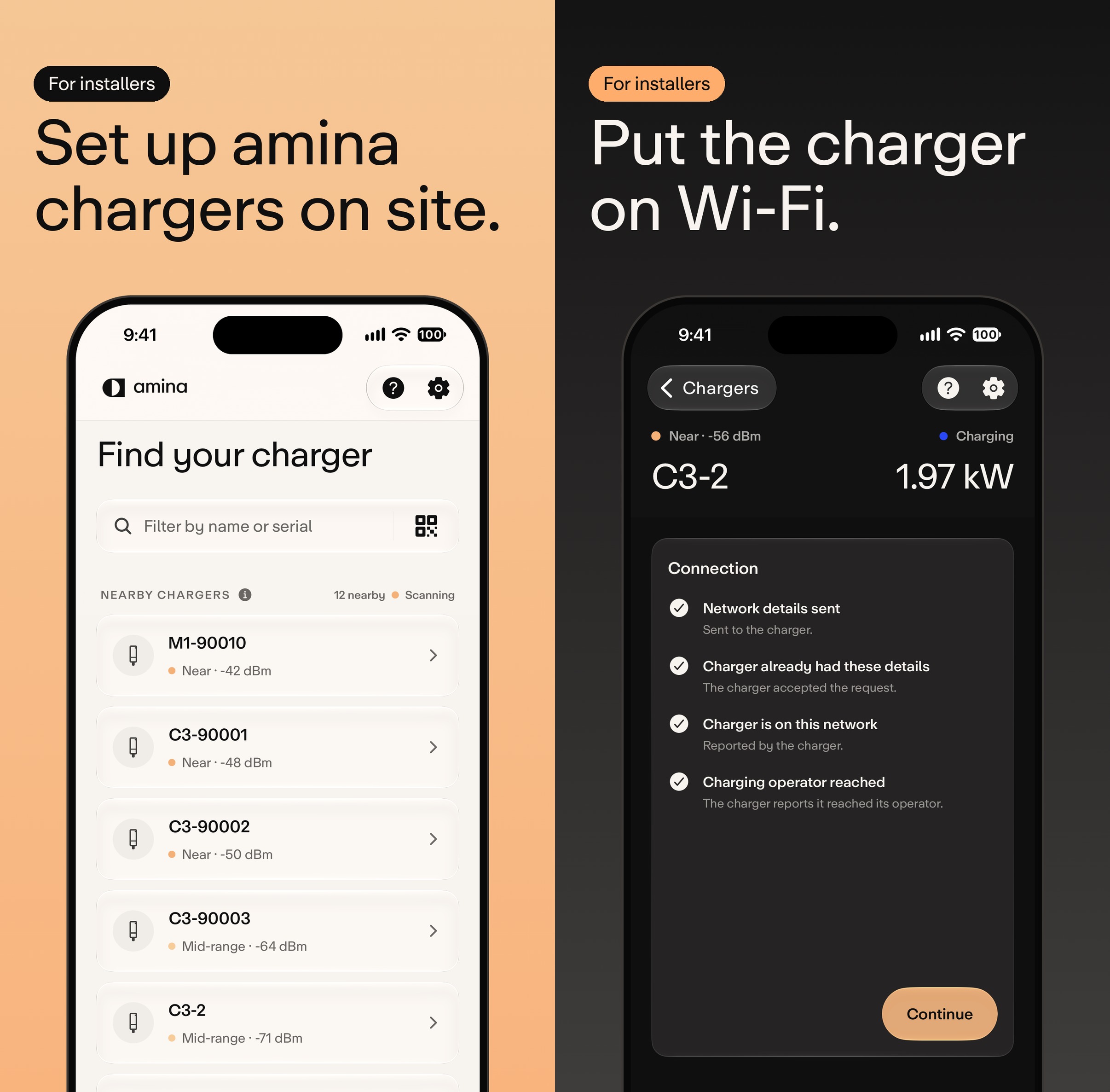
Open the app next to the charger and it scans. Every amina charger in Bluetooth range is listed, strongest signal first. Match the serial on the label, or scan its QR code, to pick yours.

Connect it to the network
Put amina C / C2 on Wi-Fi or 4G, and amina M / M2 on Wi-Fi, 4G or Ethernet. The charger itself confirms each step, down to reporting that it has reached its operator. Network settings are not available on amina S / S2.

Pick the OCPP backend
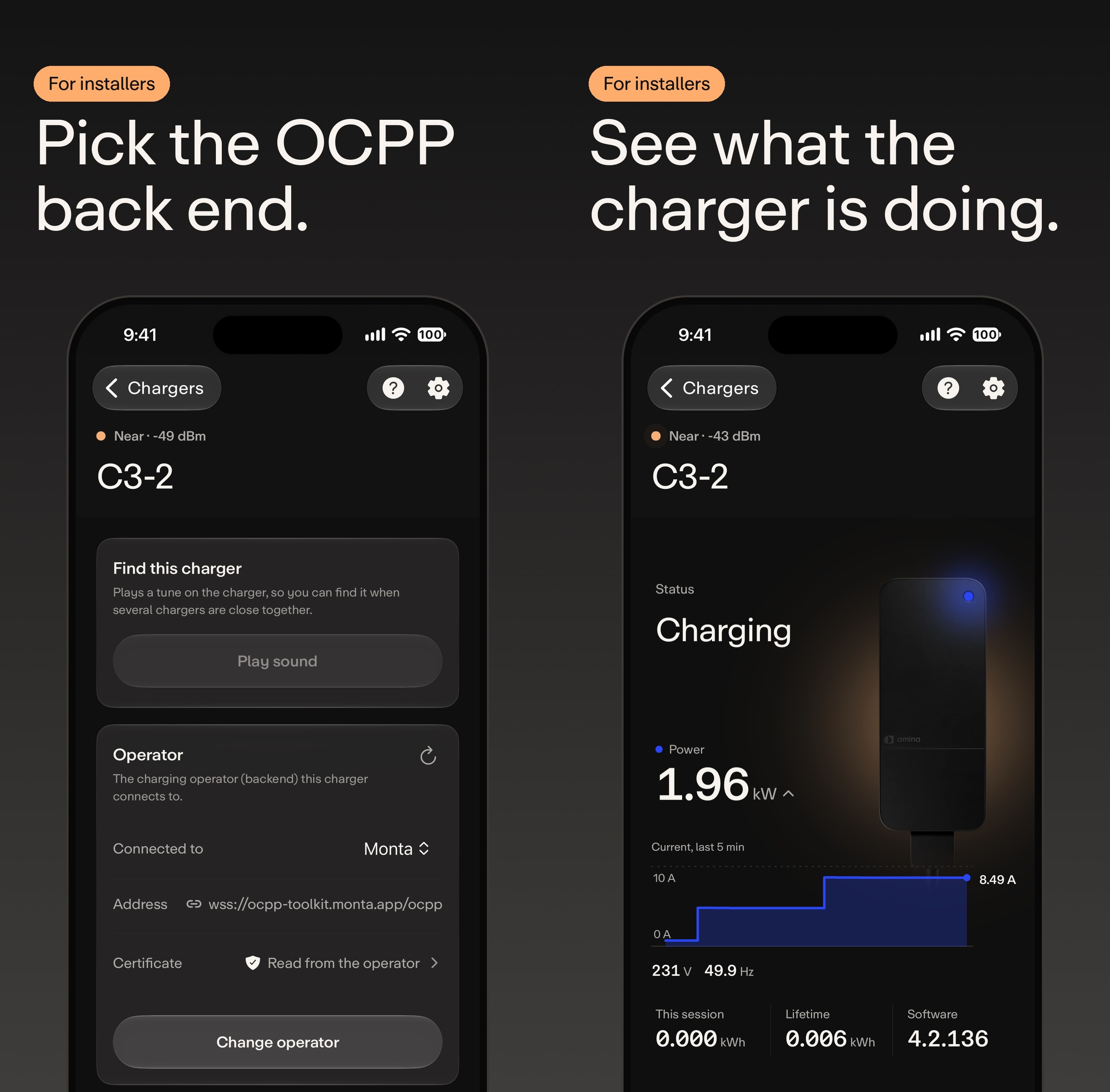
amina C / C2 and amina M / M2 run OCPP 1.6, so the operator is yours to choose. The app sets the backend address and fetches the operator’s certificate for it. Backend settings are not available on amina S / S2.

See what the charger is doing
Status, power, current, voltage, frequency, energy and software version, read straight from the charger. Handy at handover, or when something needs checking.

Update the software on site
Firmware updates run from the app too, right next to the charger.

Home owners can use it too
With the code on the charger’s label, owners of amina C / C2 and amina M / M2 can change the Wi-Fi themselves. amina S / S2 shows its status and takes software updates.
What the app is not
Not a replacement app
Starting and stopping a session, paying for it and your charging history all stay with your charging operator’s app. The amina app does not replace it.
Not an everyday app
It’s a configurator. You open it to install the charger, when the network changes or when an update is due. The rest of the time the charger runs on its own.
Not a remote control
It talks to the charger over Bluetooth, so you need to be standing next to it. It can’t reach a charger from a distance.